- HOME
- Know Your Tech
- Dynamic workflows: Benefits, examples, and best practices
Dynamic workflows: Benefits, examples, and best practices
- Last Updated : March 31, 2026
- 278 Views
- 10 Min Read
A single late approval can slow down an entire project. When your workflow treats every task the same way regardless of urgency, value, or department, small delays stack up fast. Fixed processes were not designed for conditions that change.
Highlights
- A dynamic workflow changes its path based on real-time conditions like task value, urgency, or department instead of following a fixed sequence every time.
- Static workflows treat every request the same way, while dynamic workflows apply rules at each decision point to determine the next step.
- Conditional routing sends tasks to the right person or team automatically based on attributes like category, priority, or request amount.
- Dynamic workflows can run independent steps in parallel, reducing overall processing time for multi-team processes.
- One dynamic workflow can handle multiple process variations instead of requiring separate workflows for each scenario.
Dynamic workflows adjust their behavior based on the inputs they receive. They route tasks differently depending on factors like request size, team availability, or compliance requirements. Instead of one rigid path, you get a process that fits the situation.
This blog post breaks down what dynamic workflows are, how they compare to static ones, and where they work best. You’ll also learn the best practices to build them for your team.
What is a dynamic workflow?
A dynamic workflow is a process that changes its path based on conditions it comes across at each step. Instead of moving every task through the same fixed sequence, it evaluates inputs such as request type, value, priority, or department and routes the task accordingly.
For example, consider a leave request system. In a static workflow, every request goes to the same HR coordinator, then to the department head, then back to HR for processing.
In a dynamic workflow, a one-day leave request might go straight to the direct manager for approval and skip HR entirely. A two-week leave request, on the other hand, routes through the manager, then HR, and then triggers a resource reassignment task for the team lead. The workflow adjusts based on the duration, type of leave, and team size.
Key benefits of dynamic workflows
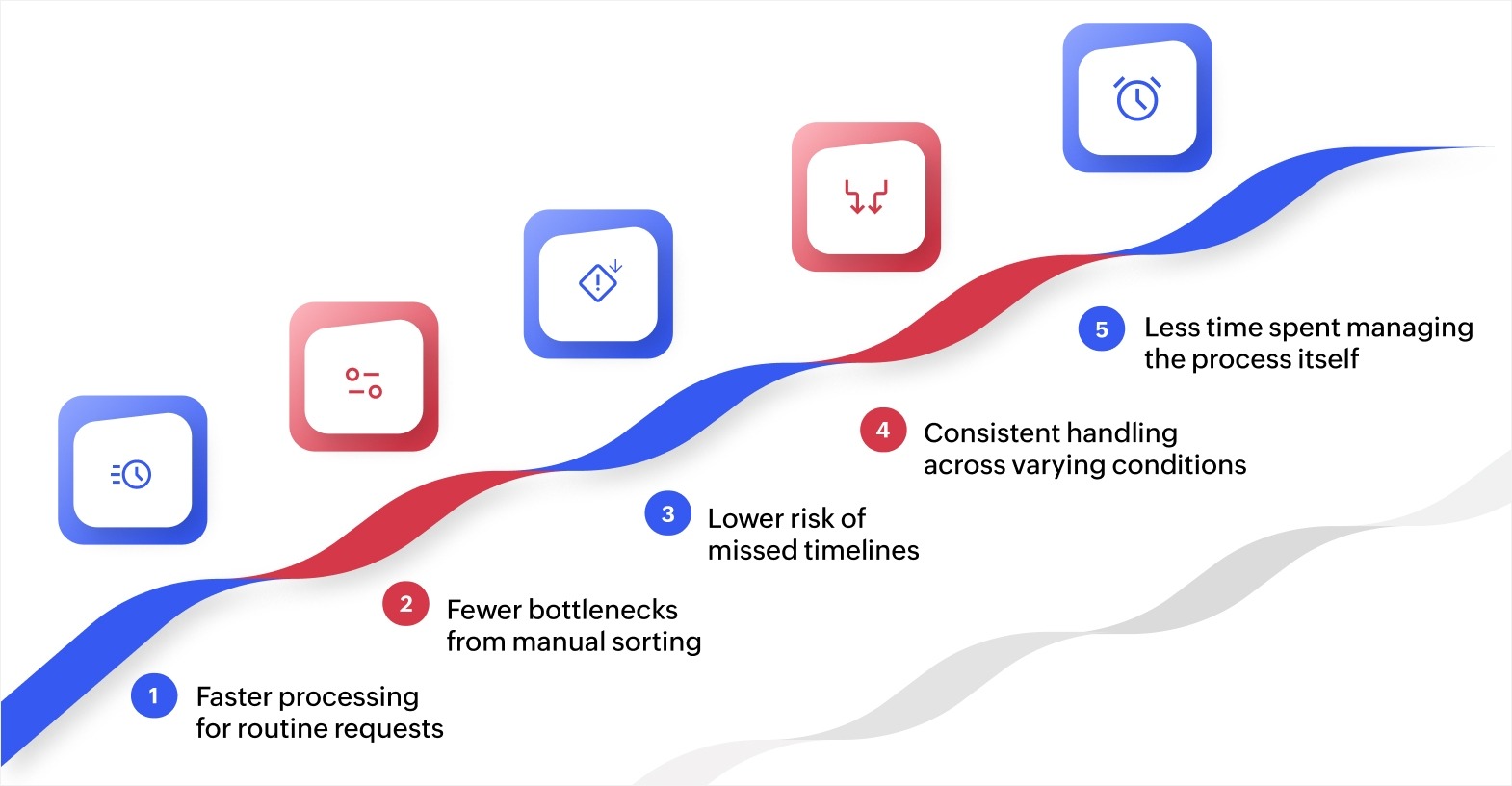
The value of dynamic workflows comes from their ability to make decisions at each step rather than following a single fixed path. Here are some of the essential benefits of dynamic workflows:
Faster processing for routine requests
Low-priority or straightforward tasks move through fewer steps. A simple supply reorder or a one-day leave request clears in hours rather than sitting in the same queue as high-value approvals. Your team reclaims time that was previously spent waiting on unnecessary review stages.
Fewer bottlenecks from manual sorting
Tasks reach the right person without a manager reviewing and assigning each one individually. Support tickets, purchase requests, and onboarding tasks land with the correct team based on their attributes. This reduces the lag between submission and first action.
Lower risk of missed timelines
When a task stalls or a deadline approaches, the workflow responds on its own. Escalations, reminders, and reassignments happen automatically, so nothing sits unnoticed in someone's inbox. Your team catches delays before they affect downstream work.
Consistent handling across varying conditions
Every request gets the appropriate level of review based on its specific attributes. A $500 expense claim and a $25,000 vendor contract each follow a path that matches their risk level. You get consistency without forcing every task through the same rigid process.
Less time spent managing the process itself
Because routing, approvals, and escalations run without manual intervention, managers spend less time coordinating workflows and more time on higher-value decisions. The process manages itself based on the rules you define upfront.
These benefits make dynamic workflows highly effective for teams managing processes where conditions change frequently.
Examples of dynamic workflow
Seeing how conditional logic works in real scenarios helps you understand and implement it better. Here are some of the examples that show how dynamic workflows can adapt based on inputs, rules, and conditions.
Invoice approval with value-based routing
Let's say a mid-size manufacturing company processes around 300 supplier invoices every month. With a static approval process, every invoice follows the same four-step chain regardless of amount. A $150 office supply order sits in the same queue as a $40,000 raw material purchase, creating an average processing time of three days.
With a dynamic workflow, the system can route invoices based on value. Invoices under $1,000 could go directly to the department manager for single-step approval. Invoices between $1,000 and $15,000 can route to the department manager first, then to the finance controller.
Invoices above $15,000 can add a third step with the chief financial officer (CFO). Low-value invoices could clear in hours instead of days, while high-value ones still get the scrutiny they need.
Customer support ticket triage
Consider a software as a service (SaaS) company that receives around 200 support tickets daily across billing, technical, and account management categories. In a static setup, all tickets land in a shared inbox and a team lead manually sorts and assigns them each morning.
A dynamic workflow can evaluate each ticket at submission. Based on the category tag, it could route billing issues to the finance support team, technical bugs to engineering, and account inquiries to the customer service team. If a ticket is flagged "urgent" by the customer, the workflow can skip the standard queue and assign it to the next available senior agent.
If any ticket remains unacknowledged for more than 90 minutes, the system can automatically notify the team manager and escalate the ticket. This removes the need for manual sorting and can significantly improve first-response time.
Employee onboarding with department-specific steps
Let's say a healthcare organization onboards staff across clinical, administrative, and IT departments. Each department has different compliance requirements, training modules, and equipment needs. A static onboarding workflow forces every new hire through the same 15-step process, including steps that are irrelevant to their role.
A dynamic onboarding workflow can check the department and role at the start. Clinical staff could receive HIPAA training, credential verification, and patient system access steps. IT staff could receive security clearance, developer environment setup, and code repository access steps.
Administrative staff can get a shorter path focused on HR orientation and office systems. Each new hire only sees the steps relevant to their role, which can reduce onboarding time and avoid confusion from irrelevant tasks.
How dynamic workflows make routing decisions
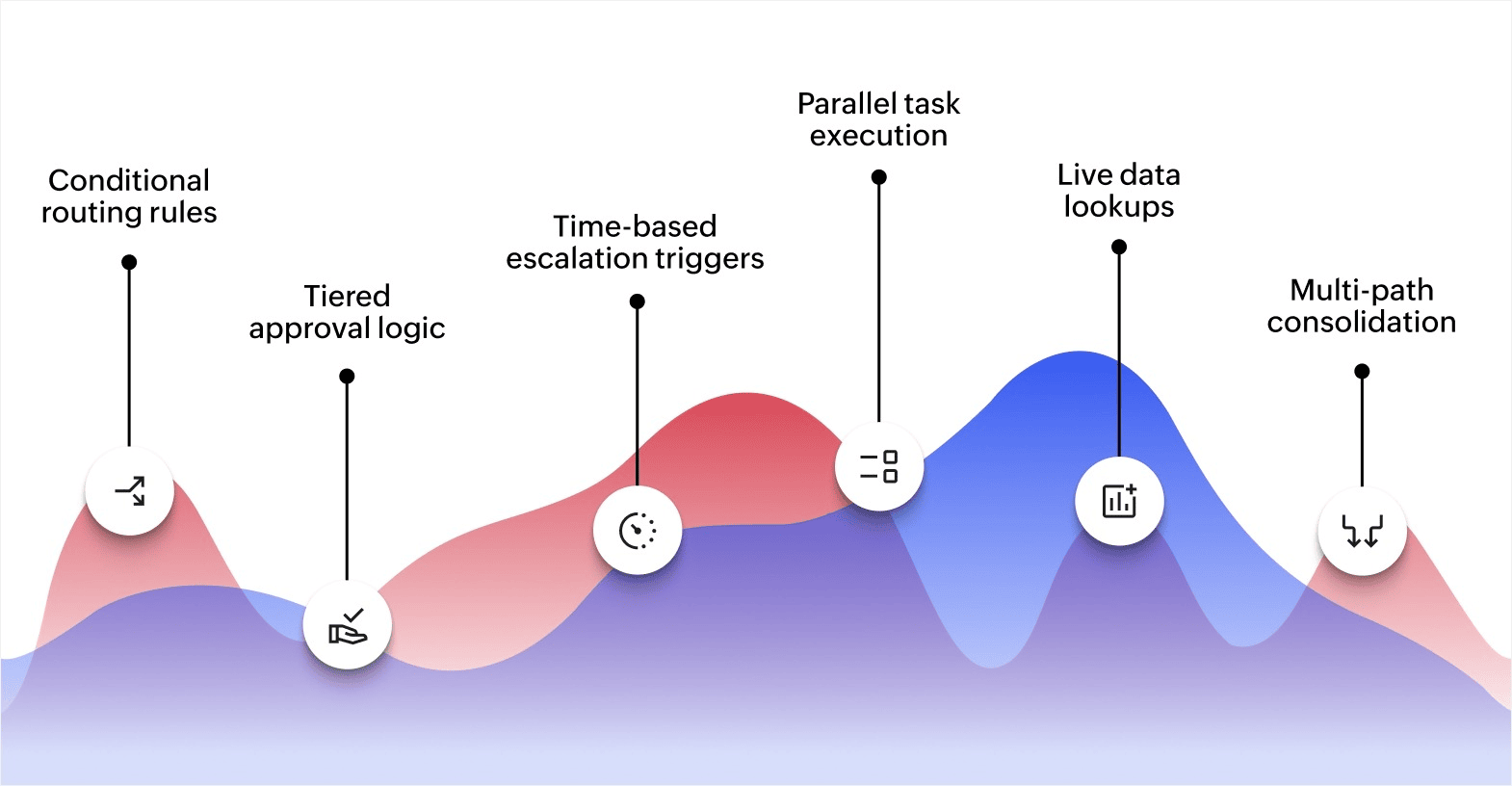
Dynamic workflows significantly enhance how your operations handle complexity, coordinate across teams, and respond to shifting workloads. Here's exactly how they work:
- Conditional routing rules: Each task is evaluated against predefined criteria at submission. A support ticket tagged "billing" is sent to the finance team, while one tagged "technical" goes to engineering. The workflow reads task attributes and applies if-then logic to determine the destination.
- Tiered approval logic: The workflow assigns different approval chains based on factors like request value or risk level. A routine procurement request triggers a single approval step. A high-value contract triggers three. The number of steps adjusts automatically so simple requests are not held up by unnecessary reviews.
- Time-based escalation triggers: If a task remains idle past a set threshold, the workflow reassigns it or notifies a senior team member. For instance, a customer complaint that goes unacknowledged for two hours can be escalated to a team lead automatically.
- Parallel task execution: When steps are independent of each other, the workflow runs them at the same time. During employee onboarding, equipment provisioning and system access setup can happen simultaneously instead of sequentially.
- Live data lookups: Dynamic workflows can pull information from connected systems before making a routing decision. For example, the workflow can check a department's remaining budget before sending a purchase request forward for approval.
- Multi-path consolidation: Instead of maintaining separate workflows for different scenarios, one dynamic workflow applies different rule sets at each decision point. A single order management workflow can handle domestic shipments, international shipments, and returns by branching based on order type.
With dynamic workflows, you don’t need to configure everything from day one. Start with conditional routing, and add other mechanisms later as you identify where delays happen in your workflow.
Challenges of implementing dynamic workflows
While dynamic workflows offer numerous benefits, there are several challenges that businesses need to address to ensure successful implementation. Understanding these challenges is crucial for maximizing the value of workflow automation.
Integration with legacy systems
Many businesses rely on legacy systems that may not smoothly integrate with dynamic workflows. Integrating new technologies with older systems can be complex and require additional resources. Successful integration often involves using APIs or middleware to bridge the gap between disparate systems, ensuring that data flows smoothly across the organization.
Initial setup complexity
Setting up dynamic workflows requires careful planning and customization. Businesses need to map out their processes, define triggers, and configure workflows to meet specific needs. While some workflow platforms offer prebuilt templates, businesses often need to tailor workflows to align with their unique operations, which can be time consuming and resource intensive.
User adoption and training
Shifting from traditional methods to dynamic workflows requires a change in how employees approach their work. Employees who are accustomed to manual processes may resist the transition. To ensure successful adoption, businesses must provide comprehensive training and support, clearly demonstrating the benefits of automation and helping employees adapt to the new system.
Data security and compliance risks
Dynamic workflows often involve handling sensitive business data, which increases the need for strong security measures. Businesses must implement stringent data protection protocols to ensure compliance with industry regulations and mitigate the risk of data breaches. Secure data handling practices are crucial for maintaining customer trust and meeting legal requirements.
Ongoing maintenance and optimization
While dynamic workflows improve efficiency, they require continuous maintenance and optimization to ensure they remain effective. As business needs evolve, workflows should be regularly reviewed and updated to accommodate new processes, technologies, or market changes. Businesses must allocate resources for ongoing monitoring and fine-tuning to maximize the long-term value of dynamic workflows.
How dynamic workflows differ from static workflows
The main difference is in how each type handles variation. Static workflows are predictable but inflexible. Dynamic workflows are adaptable but require more upfront planning.
Here’s how they compare:
| Factor | Static workflow | Dynamic workflow |
| Path | Same sequence every time | Changes based on conditions and inputs |
| Routing | Fixed assignments | Conditional routing based on rules |
| Handling exceptions | Requires manual intervention | Adjusts automatically using predefined logic |
| Scalability | Breaks down as complexity grows | Handles complex, multi-path processes |
| Setup effort | Low, straightforward configuration | Higher, requires mapping decision points |
| Best suited for | Simple, repetitive processes | Processes with varying conditions or inputs |
Static workflows work well for straightforward tasks like sending a welcome email after a new hire is added to the system. Every new hire gets the same email. No conditions needed.
Dynamic workflows are better suited for processes where conditions vary. Each path has different steps, different reviewers, and different timelines. A static workflow cannot handle that without manual workarounds.
If your processes involve decision points where the next step depends on a variable, a dynamic workflow is the better fit.
Best practices for implementing dynamic workflows
Implementing dynamic workflows requires careful planning and execution. By following the right steps, you can improve operational efficiency, promote collaboration, and reduce reliance on IT. Below are key best practices to help guide you through the implementation process.
Set clear goals and objectives
Before adopting dynamic workflows, it’s essential to establish clear goals. This first step ensures that all stakeholders are aligned and that the workflows you design will directly support business priorities.
- Identify business needs: Start by understanding the challenges you want to address, whether that’s reducing manual tasks or improving process transparency.
- Define measurable outcomes: Establish specific KPIs, such as time savings, cost reductions, or improved response times, to measure success.
- Ensure alignment across teams: Involve team leaders from various departments early to ensure that the goals are in line with the overall business strategy and that all teams are on board.
Choose the right tools and platforms
The right technology is essential for building effective, dynamic workflows. Selecting a platform that meets your business requirements will ensure smooth integration and scalability.
- Compatibility with existing systems: Choose platforms like Zoho Creator that can integrate smoothly with your current tools and systems. This reduces disruptions and minimizes the need for significant IT involvement.
- Minimal coding, high flexibility: Look for platforms that offer user-friendly customization with minimal coding. This allows your team to create workflows independently without relying heavily on IT resources.
- Scalability: Select a platform that grows with your business. It should be adaptable to evolving needs, whether it’s adding more users or adjusting business processes.
Continuous monitoring and optimization
After deploying dynamic workflows, it’s important to monitor their performance and keep improving them for better results.
- Track key metrics: Regularly review performance indicators like process completion time, error rates, and user satisfaction to identify areas for improvement.
- Gather user feedback: Encourage input from those who use the workflows daily. Their experiences can highlight where processes can be simplified or improved.
- Iterate and adjust: Optimization should be an ongoing effort. Use data and feedback to make adjustments and keep workflows aligned with your changing business needs.
To effectively implement dynamic workflows, focus on setting clear goals, choosing the right tools, and continuously improving. By following these best practices, you'll ensure that your workflows remain efficient and adaptable, helping your business stay competitive.
Create adaptive dynamic workflows with Zoho Creator
Building dynamic workflows with conditional routing and multi-path logic typically requires significant development time and IT resources, but the right platform can make that process much simpler.
Zoho Creator is an AI-powered low-code application development platform that lets you build dynamic workflows tailored to how your business actually operates. You can set up conditional routing, multi-level approvals, and automated escalations using a visual workflow builder without writing complex code.
With built-in business intelligence and analytics, you can track workflow performance in real time and identify where bottlenecks occur. Zoho Creator also supports 1,000+ integrations so your workflows connect with the customer relationship management (CRM), enterprise resource planning (ERP), and communication tools your team already uses. Every app you build runs natively on web, iOS, and Android, so your team can act on tasks from anywhere.
Sign up for free today and start building workflows that adapt to your business.
FAQ
1. How do dynamic workflows handle complex decision-making processes?
Dynamic workflows can automatically adjust based on predefined rules and triggers, making decisions faster and more consistently. They ensure that complex decision paths are followed without human intervention, improving consistency across business operations.
2. What role does real-time data play in dynamic workflows?
Real-time data enables dynamic workflows to respond instantly to changing conditions, ensuring that workflows stay aligned with the most up-to-date information. This data-driven approach helps businesses make timely decisions and maintain operational effectiveness.
3. Are dynamic workflows suitable for businesses with multiple departments or teams?
Yes, dynamic workflows are highly effective for organizations with multiple departments or teams. These solutions allow for smooth collaboration, real-time task assignment, and improved communication, making it easier to align cross-functional teams toward common objectives.
4. What factors should businesses consider before implementing dynamic workflows?
Before implementing dynamic workflows, businesses should evaluate their existing processes, technology infrastructure, and team readiness. Factors such as integration with legacy systems, employee training, and scalability should be assessed to ensure a smooth and effective transition.
 Ann Elizabeth Sam
Hey! I'm Ann, and I work as a content writer at Zoho Creator. I'm exploring the SaaS world through various forms of content creation. Outside of work, I love dancing and would give up anything to read a good murder mystery.