- HOME
- Know Your Tech
- How to automate hotel management in 2026
How to automate hotel management in 2026
- Last Updated : February 2, 2026
- 747 Views
- 9 Min Read
Guests check out at 11 AM. The room is clean by 1 PM. Yet, the busy front desk doesn't know this. They only learn it’s ready after a few back-and-forth calls with housekeeping hours later. Meanwhile, an early arrival sits in the lobby, and the hotel misses an easy opportunity to accommodate them. This type of disorganization happens every day across hotels.
Highlights
- Hotel automation uses technology to handle routine tasks like check-ins, housekeeping coordination, and revenue management without manual input.
- Automated systems reduce errors in billing, booking, and guest communication while speeding up service delivery.
- Revenue management automation adjusts room pricing based on demand, competitor rates, and booking patterns to maximize occupancy and revenue.
- Implementation starts with identifying high-impact manual tasks, then applying systems in phases to avoid disrupting current operations.
- Successful automation requires integrationcapabilities, real-time data sync, mobile access, and customization options to match your property's workflows.
Manual coordination via phone calls and paper lists delays vital information. A cleaned room remains empty for hours because the front desk doesn't know it's available, and guests grow frustrated. Automated hotel management solves these coordination issues.
This guide breaks down what you can automate in hotel operations with examples, and it shows you how to implement automation systems step by step.
What is hotel automation?
Hotel automation uses software and connected devices to handle routine tasks that staff typically manage manually. The system processes bookings, coordinates housekeeping, sends guest messages, and tracks maintenance requests without constant human input.
For instance, when a guest books a room online, automation can handle several connected tasks, such as:
- Confirming the reservation and sending a confirmation email
- Sending a pre-arrival message with check-in details and room preferences
- Assigning a room based on guest preferences and availability
- Creating a housekeeping task for room preparation
- Notifying staff only when exceptions occur or special requests need attention
Recent data shows that the hotel and hospitality software market is growing rapidly, rising from $3.97 billion in 2023 to an estimated $6.29 billion by 2030. This highlights the growing demand for automation in hotel management.
7 key benefits of automating hotel operations
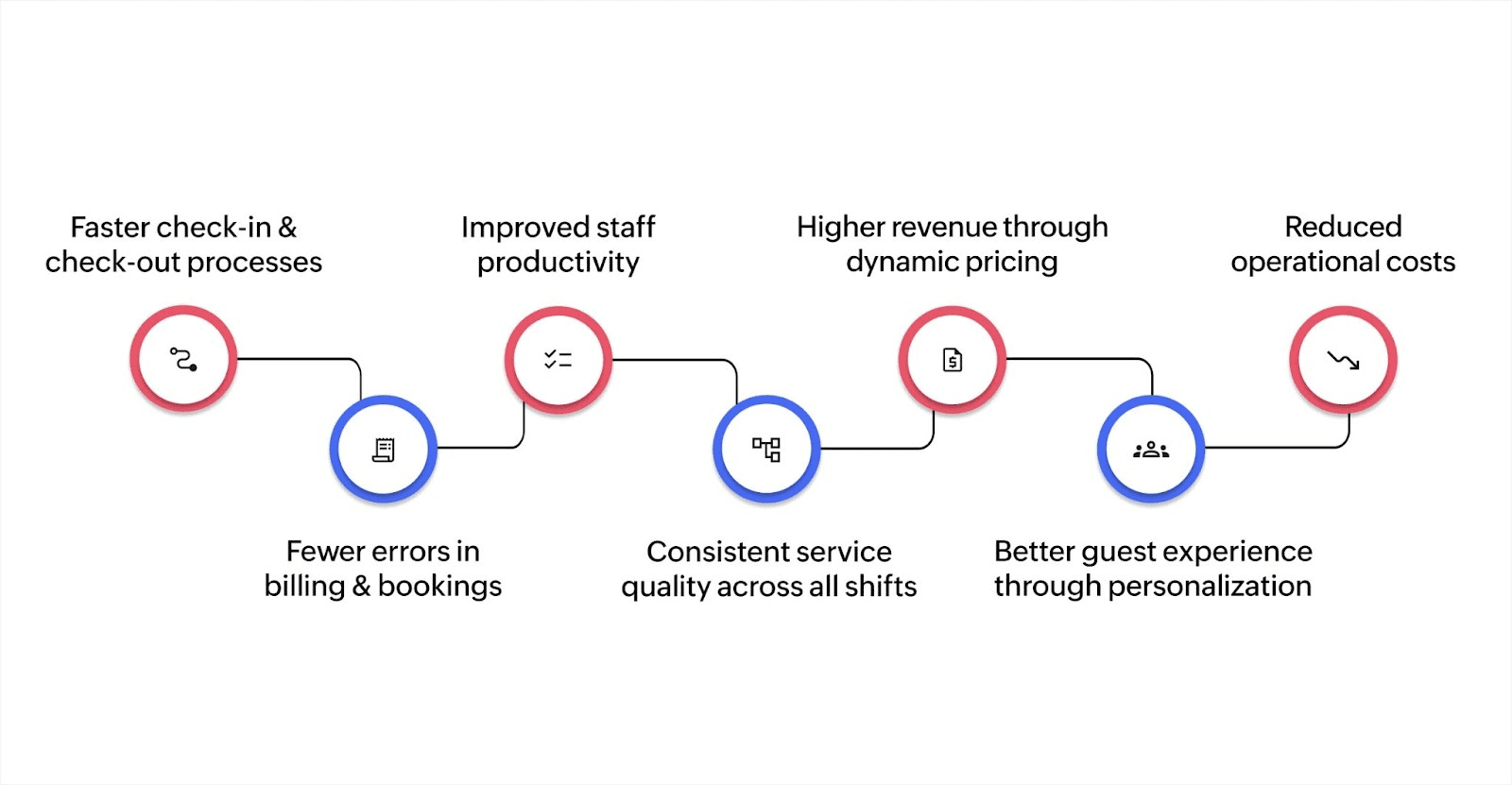
Hotels that move from manual to automated operations see improvements across efficiency, accuracy, and guest satisfaction. Here are some of the top benefits of automating your hotel operations:
1. Faster check-in and check-out processes
Guests can check in through mobile apps or self-service stations in under two minutes, compared to the five to ten minutes at a staffed front desk. Mobile keys remove the need to stop at reception entirely. Automated check-out processes the final bill and sends a digital receipt instantly, eliminating checkout lines during busy morning hours.
2. Fewer errors in billing and bookings
Manual data entry leads to errors in room charges, billing amounts, and booking details. Automated systems pull information directly from integrated sources, reducing billing disputes significantly. When a guest orders room service, the charge appears on their bill automatically without staff manually entering the transaction.
3. Improved staff productivity
Staff spend less time on repetitive tasks like answering the same questions, updating spreadsheets, or coordinating between departments. Teams redirect that time to handling special requests, resolving issues, and creating memorable guest experiences that require personal attention.
4. Consistent service quality across all shifts
Automation ensures the same service standards apply whenever a guest checks in. The automated systems follow the same procedures every time, which removes variations caused by different staff members or shift changes. Guest preferences saved in the system apply consistently across all interactions.
5. Higher revenue through dynamic pricing
Revenue management systems analyze demand patterns, competitor pricing, and booking trends to adjust room rates in real time. The system identifies opportunities to raise rates during high-demand periods and automatically creates promotions during slower times.
6. Better guest experience through personalization
Automated systems track guest preferences and past behaviors to personalize service. When a returning guest books a room, the system automatically notes their preferred room type, floor level, and pillow choice. Staff receive this information before check-in, making guests feel recognized without requiring them to repeated share their preferences.
7. Reduced operational costs
Automation cuts costs by reducing manual labor hours, minimizing errors that require correction, and optimizing resource allocation. Energy management automation can reduce utility costs through smart climate control and lighting that adjusts based on room occupancy.
What hotel operations can you automate?
Hotels can apply automation across nearly every department, from guest-facing services to back-office operations. Knowing which tasks work best for automation helps prioritize implementation.
Here's how automation improves manual workflows:
| Area | Manual task | Automated workflow example |
| Front desk | Staff manually check guests in, assign rooms, and issue key cards | Guests check in via mobile app, system assigns room based on preferences, digital key sent to phone |
| Housekeeping | Manager assigns rooms on paper, staff reports completion by phone | System creates cleaning schedule based on checkouts, staff updates status via mobile app, front desk sees real-time room availability |
| Revenue management | Staff reviews competitor rates, manually adjusts prices in multiple systems | AI analyzes demand patterns and competitor pricing, automatically updates rates across all booking channels |
| Guest communication | Staff responds to emails and calls individually, manually sends pre-arrival information | Chatbot handles common questions 24/7, system sends automated pre-arrival messages, post-stay feedback requests |
| Billing | Staff manually enters charges, creates invoices, processes payments | System captures all charges automatically, generates final bill, processes payment, sends digital receipt |
| Maintenance | Guests report issues to front desk, staff creates work orders, tracks completion on paper | Guests report issues through app, system creates work order, assigns to available technician, tracks completion status |
Moving from manual to automated workflows removes coordination overhead and reduces the time between identifying a task and completing it.
What does automation look like in real hotels?
Seeing automation in action helps you clarify the practical impact on daily operations. These scenarios show how hotels can use automation to solve common operational challenges.
Check-in during peak arrival times
Consider a 150-room hotel receiving 40 guests between 3 and 5 PM on Friday. Manual check-in creates a lobby line and 15-minute waits.
With automation, guests can use mobile check-in before arriving, receive digital keys, and go straight to their rooms. The front desk only handles guests who need special assistance, eliminating wait times for everyone.
Housekeeping coordination across floors
Let's say a housekeeping manager manually assigns 80 rooms to 12 staff members each morning using a printed spreadsheet. Staff call the front desk to report completed rooms, creating communication delays.
Automation can assign rooms based on staff location and workload, send tasks to mobile devices, and update room status instantly when staff mark completion. The front desk sees real-time availability and can sell rooms immediately after cleaning.
Revenue optimization during events
Say a hotel near a convention center manually checks competitor rates and adjusts pricing once daily. By the time staff update rates, demand has shifted. Automated revenue management can monitor booking pace, competitor prices, and local events in real time.
When a major conference announces attendees, the system raises rates within minutes, capturing additional revenue before rooms sell out at lower prices.
How to automate hotel management
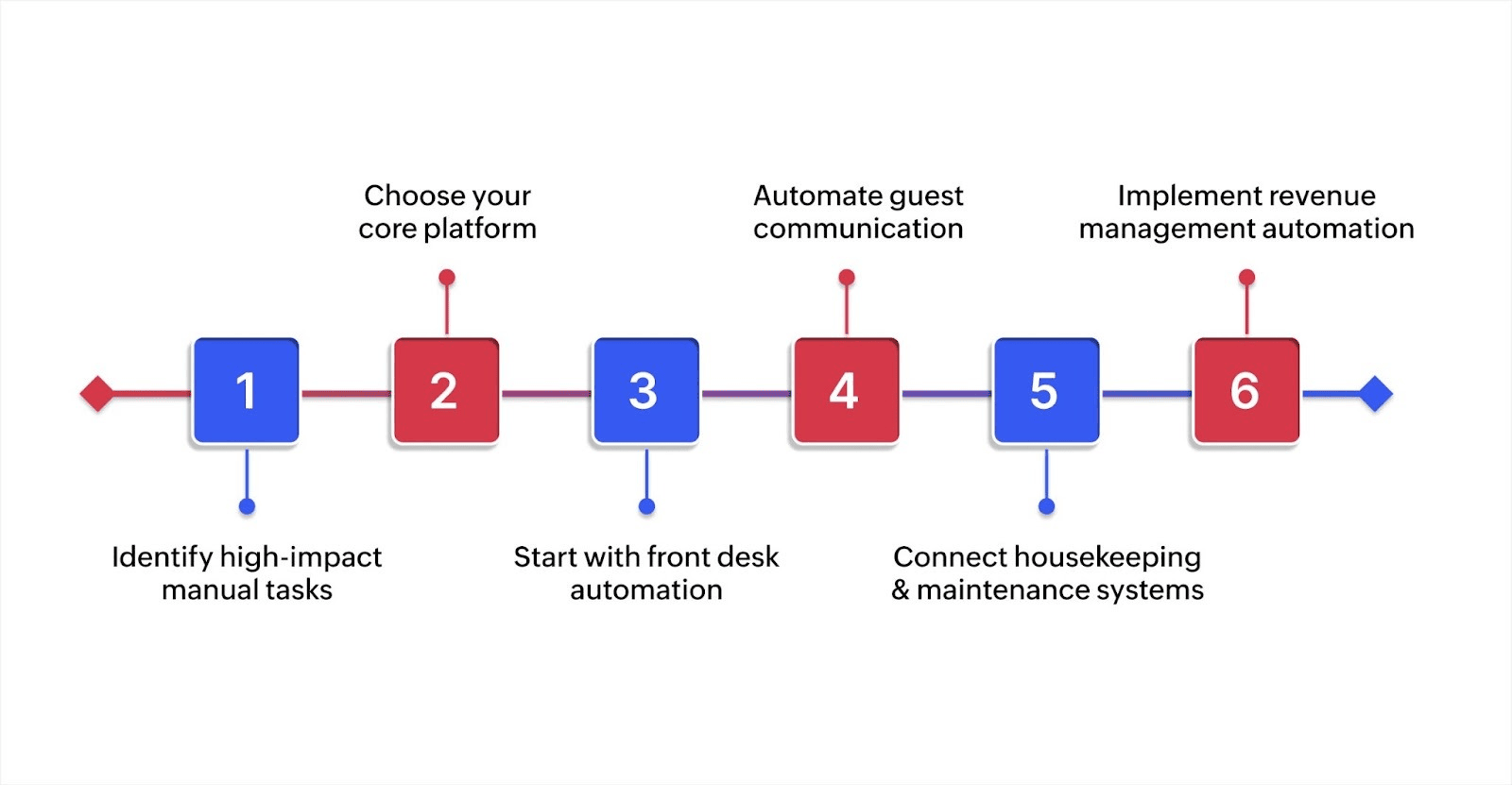
Implementing automation works best when approached systematically rather than all at once. This roadmap helps hotels move from manual operations to automated workflows without disrupting current service.
Step 1: Identify high-impact manual tasks
Start by documenting tasks that consume the most staff time or create frequent errors. Look for repetitive activities like sending confirmation emails, updating room status, or entering billing charges. Track how long these tasks take and how often mistakes occur.
For instance, if front desk staff spend two hours daily answering the same booking questions, that task becomes a priority for automation.
Step 2: Choose your core platform
Select a property management system that serves as your automation foundation. The platform should integrate with your booking engine, payment processor, and communication tools.
Cloud-based systems offer easier setup and lower upfront costs compared to on-premise installations. Test how the platform handles your specific workflows before committing to ensure it matches your operational needs.
Step 3: Start with front desk automation
Implement self-service check-in options first because guests notice the impact immediately. Mobile check-in and digital keys deliver fast results with minimal training required.
Roll out the option to a small group of guests initially, gather feedback, and refine the process before full deployment.
Step 4: Automate guest communication
Set up automated messages for booking confirmations, pre-arrival information, and post-stay feedback requests. Create templates that feel personal by including guest names and specific booking details.
Add a chatbot to your website to handle common questions about amenities, parking, and check-in times. This reduces phone calls and emails while providing instant responses 24/7.
Step 5: Connect housekeeping and maintenance systems
Integrate housekeeping management with your PMS so room status updates automatically. When housekeeping marks a room clean on their mobile device, the front desk sees it immediately and can assign it to arriving guests.
Connect maintenance requests from guest apps directly to work order systems so technicians receive notifications instantly without front desk coordination.
Step 6: Implement revenue management automation
Add dynamic pricing tools that adjust rates based on demand, competitor pricing, and booking patterns. Start with basic rules like increasing prices when occupancy reaches certain thresholds and gradually add more sophisticated algorithms as you learn what works.
Monitor results weekly and adjust strategy based on actual booking performance rather than assumptions.
Non-negotiable features for automation across multiple departments
Hotels need specific capabilities to make automation work across all operations. These features determine whether your system helps or creates new coordination problems.
Real-time data synchronization
Changes made in one system appear immediately in all connected systems without manual updates. Without real-time sync, you create the same coordination problems automation should solve through data integration.
API integration capabilities
You should be able to connect with booking channels, payment processors, and third-party services through APIs. Hotels also rely on specialized tools for tasks like revenue management, channel management, and reputation monitoring. Integration flows let these tools share data automatically, rather than through manual exports and imports.
Mobile access for all staff
Housekeepers, maintenance staff, and managers need mobile apps to update status, receive assignments, and communicate from anywhere on the property. Desktop-only systems force staff to return to offices to update information, defeating the purpose of automation. Mobile access removes this bottleneck.
Customizable workflows
Every hotel operates differently based on property size, guest type, and service model. Automation systems must adapt to your workflows rather than forcing you to change successful processes. For instance, boutique hotels need different check-in procedures than large resorts. Your system should handle both without requiring workarounds.
Role-based access controls
Different staff members need different levels of system access. Front desk staff require guest information and the ability to handle bookings. Housekeeping needs room status and assignments. Finance teams need access to billing and reporting. Security comes from giving each role only the access they need to perform their job through user management controls.
Scalability without performance degradation
Automation systems must handle growth without slowing down. If your 50-room hotel expands to 150 rooms, the system should process three times the bookings, guest messages, and housekeeping tasks at the same speed. Test how platforms perform under increased load before committing.
Build custom hotel management solutions with Zoho Creator
Hotels implementing automation often find that generic software doesn't match their specific operations. Standard property management systems work for basic functions but lack flexibility when you need custom workflows for unique services or property types.
Zoho Creator is an AI-powered low-code application development platform that helps you build hotel management applications tailored to your exact requirements. You can create custom apps for front desk operations, housekeeping coordination, maintenance tracking, and guest services without extensive coding knowledge.
You can also design workflows that coordinate tasks across departments, build mobile apps for real-time staff access, and create dashboards showing occupancy rates and revenue metrics.
Hotels need automation that adapts to their unique processes rather than forcing operational changes to fit rigid software. Zoho Creator provides the flexibility to build exactly what your property requires.
Start your 15-day free trial and create custom applications that match how your hotel actually works.
FAQ
1. What hotel operation should be automated first?
Start with guest communication automation, such as booking confirmations and pre-arrival messages. This delivers immediate value with minimal implementation complexity and doesn't require significant changes to staff workflows.
2. Can small hotels afford automation systems?
Cloud-based platforms offer affordable monthly subscriptions for basic automation. Small hotels can see a return on investment through reduced labor costs, fewer billing errors, and improved operational efficiency.
3. Do guests prefer automated check-in to staff service?
Many guests use mobile check-in when available, valuing speed and convenience. Others prefer staff interaction, which automation enables by freeing staff from routine tasks so they can focus on personalized service.
4. What happens when automation systems fail?
Reliable systems include backup procedures and offline modes. Staff should maintain basic manual processes for critical functions, such as check-in and access control, as contingency plans during system outages.
5. How does automation affect staffing levels?
Automation changes job focus rather than reducing overall headcount. Staff shift from repetitive tasks to guest service, maintenance, and experience creation. Hotels typically maintain similar staff levels but move them to higher-value activities.
 Stephen
Stephen is a product marketer at Zoho Creator. An avid writer, he plies his trade evangelizing low-code during the day and pens songs at night. Sneakerhead and sushi enthusiast too.